A reliable IPTV provider offers a clear trial, transparent setup instructions, responsive support, realistic stability claims, and no pressure to pay through risky methods. The safest way to choose is to test the service on your real device, at your normal viewing time, before committing to a longer subscription.
Why Choosing the Right IPTV Provider Matters
Not every IPTV service is equally stable, honest, or compatible with every device. A provider that streams reliably in one setup can struggle in another. A service that works fine on a mobile phone during a Tuesday afternoon can fail on a Smart TV during a Saturday football match.
IPTV quality depends on server capacity, CDN routing, the app you use, your device, and your home internet connection. Understanding what makes an IPTV service stable helps you ask better questions before paying. Cheap plans sometimes come from providers who oversell their server capacity and offer no effective support when issues appear.
Quick Checklist: What a Reliable IPTV Provider Should Offer
| What to check | Good sign | Red flag | Why it matters |
|---|---|---|---|
| Trial availability | Clear 24–48 hour trial before purchase | No trial, or trial only after full payment | You need to test on your real device and app first |
| Setup support | Device-specific instructions with app recommendations | Generic links or "it just works" replies | Your device may need specific configuration steps |
| App compatibility | Confirms which apps work with your device | Cannot explain which apps to use | TiviMate, Smarters Pro, IBO Player all need correct setup |
| Firestick / Smart TV | Confirms Xtream Codes or M3U, explains sideloading if needed | Cannot confirm whether their service works on your device | Different devices require different setup paths |
| Server stability | Explains infrastructure honestly, acknowledges peak-time load | Claims 100% no buffering forever | No provider can honestly guarantee zero buffering |
| Sports performance | Allows testing during live events | Refuses live test, or only allows testing on quiet channels | Sports streams create the most demanding peak-traffic load |
| Payment transparency | Clear pricing, subscription duration, and renewal terms | Vague pricing, pressure to pay immediately | You need to know what you are buying and when it renews |
| Refund or replacement | Stated policy for when service does not work | No policy, no explanation if the service fails | Gives you recourse if the service is not as described |
| Customer support | Responds before and after payment with real answers | Responds quickly pre-sale, becomes unreachable after | Post-payment support quality is the real test |
| Realistic claims | Honest about limitations, speed requirements, and device constraints | "Best in the world," "guaranteed no buffering" | Honest providers do not need impossible promises |
Warning signs usually appear before payment. Pay attention to how clearly a provider explains its trial, payment terms, support process, and technical limitations.
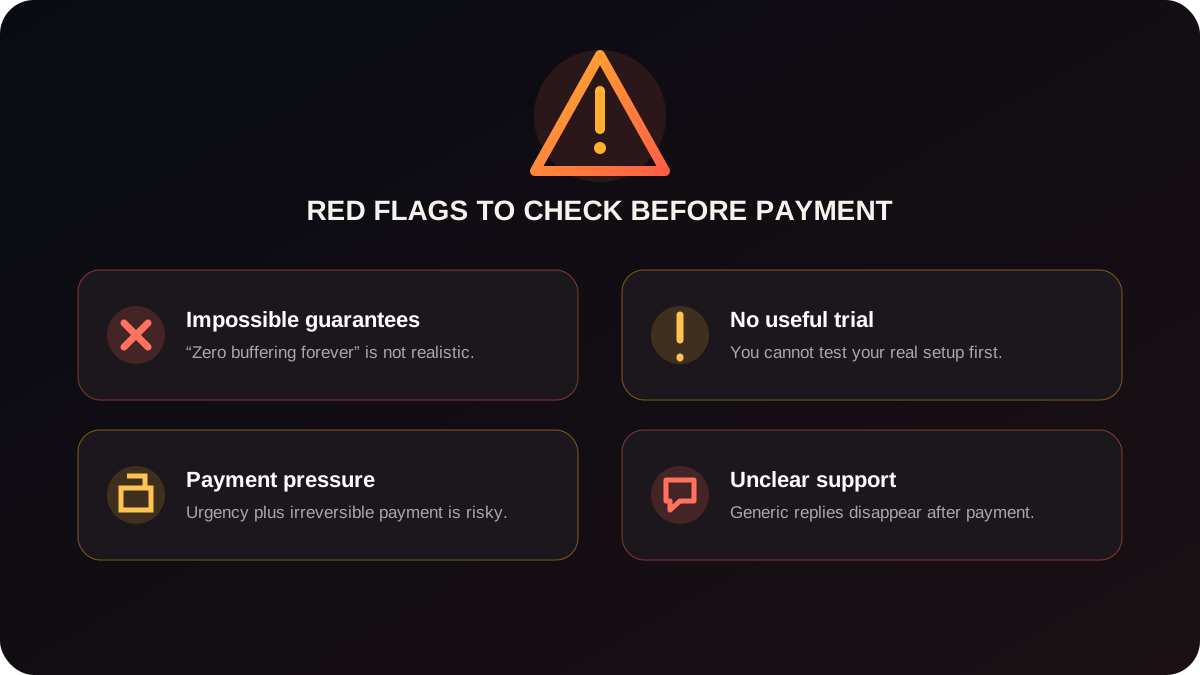
| Category | Reliable provider behavior | Risky provider behavior |
|---|---|---|
| Uptime claims | Explains infrastructure and acknowledges limitations | Guarantees 100% uptime or zero buffering under all conditions |
| Trial policy | Offers a clear trial before full payment | Refuses any trial, or requires full payment to access a test |
| Payment methods | Accepts PayPal, card, or traceable methods | Only accepts gift cards, untraceable crypto, or unusual methods |
| Post-payment support | Responds to setup and issue reports after payment | Active before payment, unreachable or slow after |
| 4K claims | Specifies which channels are 4K and at what bitrate | Claims everything is 4K with no specifics or evidence |
| Business identity | Has a verifiable contact, website, or support channel | Anonymous everywhere, no traceable business information |
| Urgency tactics | Lets you evaluate and test before deciding | Uses countdown timers, limited spots, or constant pressure |
| Device setup help | Explains setup specifically for your device and app | Cannot explain setup steps, or says to search online |
| Channel count | Realistic count with a category breakdown | Claims millions of channels without any verifiable detail |
| Problem handling | Helps diagnose whether an issue is provider-side or user-side | Immediately blames your internet, device, or app for every issue |
Always Test a Free Trial Before Buying a Long Subscription
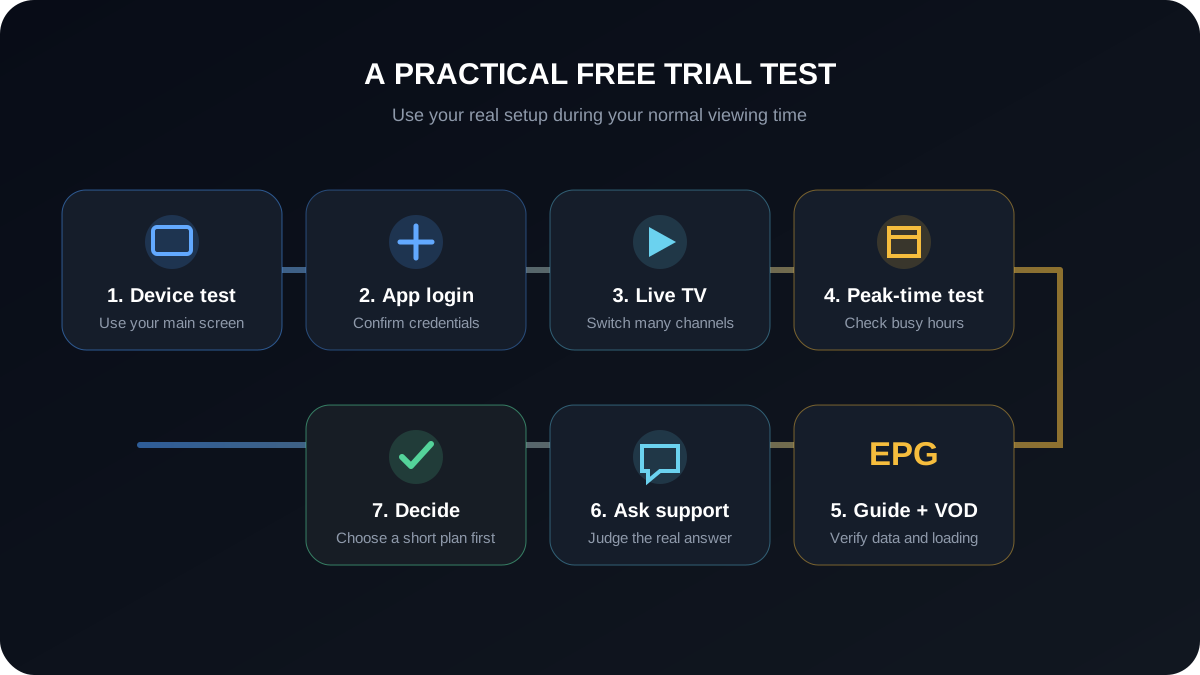
Testing for five minutes on a single channel is not enough. A useful trial evaluation takes at least a few hours across different times of day and different content types.
Test on the exact device and app you plan to use after subscribing. A provider that performs well in one app may have problems in another. Test during your usual viewing window — an evening trial is more representative than a midday test if you typically watch in the evening.
| Test | What to do | Good result | Warning sign |
|---|---|---|---|
| Live TV loading | Open 10 channels across different categories | Channels load within 3–5 seconds consistently | Multiple channels fail or take over 30 seconds |
| Sports at peak time | Open a sports channel during an actual live match | Stable HD or 4K playback, no freeze in the first 20 minutes | Pixelation, freeze, or repeated buffering spinner |
| VOD loading | Browse VOD and start 3 different films | Playback starts within 5 seconds, no constant rebuffering | Long load times or frequent interruptions |
| EPG accuracy | Check the guide for channels you know the schedule for | Guide shows correct current and upcoming programmes | Guide is missing, empty, or showing wrong information |
| App login | Log in using Xtream Codes or M3U on your chosen app | Login succeeds on the first attempt | Login fails, app crashes, or credentials do not work |
| Device compatibility | Test on your actual primary viewing device | All features work including EPG and catch-up if offered | Key features unavailable on your device or app |
| WiFi vs Ethernet | Test both connections if possible | Ethernet gives consistent bitrate; 5 GHz WiFi is adequate for most streams | WiFi drops quality even on a strong signal close to the router |
| Support response time | Ask one genuine setup question during the trial | Reply within 30–60 minutes with a specific answer | No reply, generic copy-paste, or reply only if you mention leaving |
| Channel switching | Switch between 20 channels in quick succession | Each channel loads cleanly within 5 seconds | App freezes, crashes, or requires restart between channels |
| Playback quality | Watch SD, HD, and 4K channels included in the plan | Quality matches what was advertised | Advertised 4K channels play at lower resolution or stutter |
Check Device and App Compatibility Before You Pay
Not every IPTV provider works equally well on every device and app combination. Confirm compatibility before paying, not after.
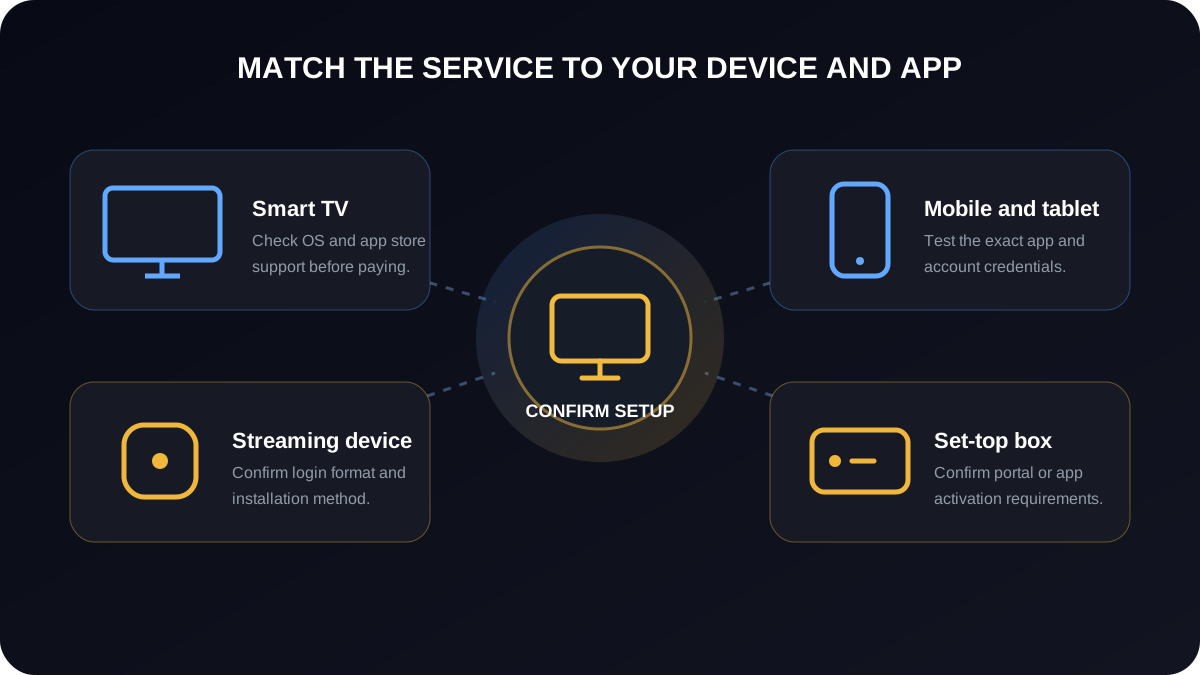
| Device | What to ask | Setup detail to confirm |
|---|---|---|
| Firestick | Do you support TiviMate or Smarters Pro via Xtream Codes? | Provider confirms Xtream Codes URL format and sideloading method |
| Samsung Smart TV | Which app works on Samsung Tizen — Smart IPTV or SSIPTV? | Provider confirms app name and whether MAC registration is required |
| LG Smart TV | Does your service work with Smart IPTV or IBO Player on webOS? | Provider confirms webOS version compatibility and activation method |
| Android TV | Do you support IPTV Smarters Pro and TiviMate on Android TV? | Provider confirms APK or Play Store installation method |
| Apple TV | Which app supports your service on tvOS? | Provider confirms whether Smarters Pro or GSE Smart IPTV works |
| Mobile (iOS / Android) | Does IPTV Smarters or IBO Player work on my phone? | Provider confirms app version and whether M3U or Xtream Codes is preferred |
| MAG Box | Do you support MAG activation via MAC address? | Provider confirms MAC registration process and portal URL |
For a full IPTV on Smart TV setup guide covering Samsung, LG, and Android TV, see the device-specific setup article.
LG TV users who need a VPN may find that installing one directly on the TV is limited depending on their webOS version. Alternatives include configuring the VPN at router level or using a Smart DNS service where the provider supports it.
Compare Regional IPTV Options Before Choosing
Users should compare providers based on their real device, region, support quality, and trial experience. People researching broader provider examples may compare zyminex iptv, while Spanish-focused users may research iptv spain options and UK-focused viewers may compare iptv uk services. Treat regional availability as one factor among many, and test support, compatibility, and trial quality before choosing a longer subscription.
Support Quality Is One of the Strongest Trust Signals
Support before and after payment is one of the clearest indicators of how a provider will treat you when something goes wrong.
Before buying, ask these five questions and evaluate how specifically they are answered:
A provider who answers specifically and without rushing you toward payment is a much safer choice than one who sends generic replies and redirects every question to checkout.
Practical example: A customer with a Smart TV who needs MAC address activation should receive a clear explanation of exactly what to send, what format the MAC address should be in, and how long activation takes. An unreliable provider either cannot explain this process or tells the customer to figure it out after payment.
What No IPTV Provider Can Honestly Guarantee
No provider can promise zero buffering under all conditions. Any service that makes this claim is overstating what is technically possible.
Live sports events create genuine peak demand on server infrastructure. If a provider oversells capacity, streams that run smoothly on a weekday morning may buffer during a Champions League semi-final on a Tuesday evening. Your home WiFi quality, ISP routing, and VPN overhead all affect playback independently of the provider.
Review the IPTV internet speed requirements before testing — 4K streams typically need 25–50 Mbps sustained throughput, HD needs 10–20 Mbps, and standard definition works on 3–5 Mbps. Even if your broadband plan is well above these numbers, peak-time ISP congestion or a weak WiFi signal to your device can cause issues the provider cannot fix remotely.
Read about using a VPN with IPTV before assuming a VPN will resolve buffering. A VPN adds processing overhead and routes traffic through extra network hops, which can increase latency — particularly if the VPN server is distant or under load. A VPN does not compensate for a provider with insufficient server capacity.
Understanding legal vs illegal IPTV is worth doing before committing to any subscription. The availability and legal status of IPTV services varies by country and provider. This article does not confirm or deny the legal status of any specific service.
For diagnosing whether IPTV buffering causes and fixes are on the provider side or your side, the device-specific troubleshooting guide covers buffer settings, decoder selection, and network diagnosis steps.
Payment Safety: Be Careful With Risky Payment Methods
How to Compare Two IPTV Providers Side by Side
Score each provider from 1 to 5 on these criteria, then compare totals:
The provider with the lowest price is not automatically the best value. A service that works reliably on your device, responds quickly to issues, and is honest about its limitations is worth more than one that makes large promises and fails during the first live match.
Common Mistakes People Make When Choosing an IPTV Provider
When the Problem Is Not the Provider
Not every IPTV playback issue comes from the provider. Honest providers will help you work out whether a problem is on their side or yours.
Common non-provider causes include:
If you cannot determine the source of an issue, use the IPTV not working guide to work through the diagnostic steps systematically before contacting support.
Final Buying Checklist Before You Pay
Before committing to any IPTV subscription, confirm each of the following:
Conclusion
The safest approach to choosing a reliable IPTV provider is to test before buying, avoid services that make impossible guarantees, confirm device and app compatibility with your real setup, evaluate support quality before payment, and choose a provider who explains limitations honestly.
If you want help testing IPTV on your real device before choosing a subscription, Varodatic IPTV can guide you through setup for Firestick, Smart TV, Android TV, Apple TV, IPTV Smarters, TiviMate, IBO Player, M3U, and Xtream Codes. Start a free trial and test the service on your own hardware before committing to a plan.
Reviewed for practical IPTV setup, buyer safety, and support clarity. Last updated: June 2026.
Related Articles

What Makes an IPTV Service Stable? Uptime, CDN, Load Balancing and Support
Stable IPTV comes from infrastructure depth: uptime monitoring, CDN edge nodes, load balancing, failover, modern codecs, and support that responds during peak hours.
Read Article
Legal IPTV vs Illegal IPTV: How to Tell the Difference
The difference is licensing, not the word IPTV. Use this practical checklist to spot licensed services, red flags, security risks, and payment warning signs.
Read Article
IPTV Not Working? (Fix Guide 2026)
Fix IPTV buffering, loading issues, and errors with this complete troubleshooting guide. Learn how to diagnose network issues, app cache problems, and hardware limits to get your streams running flawlessly.
Read Article
Do You Need a VPN for IPTV? Honest 2026 Guide
Not sure if you need a VPN for IPTV? We break down exactly when a VPN helps, when it doesn't, and which ones actually work — no hype, just honest advice.
Read Article