XCIPTV was removed from Google Play after copyright complaints from rights holders, part of a wider 2026 crackdown on IPTV player apps. The player itself still works. You can install the real version by sideloading the APK, or switch to a player like IPTV Smarters Pro or TiviMate instead. Here is how to do both safely.
Why XCIPTV disappeared from the Play Store
XCIPTV is a media player. It does not host or stream any content itself. It connects to an IPTV service you provide and displays the channels that service delivers. The reason it was removed from Google Play has nothing to do with anything it does on its own.
In early 2026, a wave of rights-holder DMCA complaints and legal pressure from broadcasters pushed Google to remove dozens of IPTV-capable apps from the Play Store. The timing aligned with a major international cricket tournament, when broadcaster rights holders actively monitored platforms for apps commonly used to reach unlicensed streams. XCIPTV was caught in that sweep, along with IPTV Smarters Pro, Televizo, and several others.
This is a distribution problem, not a ban on the software. Your existing XCIPTV installation still works if you already have it. The only thing that changed is that new users can no longer find it on the Play Store.
| Reason | What it means for you |
|---|---|
| Rights-holder DMCA complaints | The app was flagged by broadcaster legal teams; the app itself is not illegal |
| App store policy enforcement | Google removed apps commonly associated with unlicensed streams after broadcaster pressure |
| Broadcaster legal action | Major sports rights holders actively pushed for removal during key sporting events in 2026 |
The player itself is neutral software, the same category as VLC or Kodi. It carries no content of its own. Whether using it is lawful depends entirely on the service you point it at, not the player.
Think of it in three layers. The app (XCIPTV) is a player, nothing more. The service provides the streams, and legality depends on that service's licensing in your country. Your connection is your internet. A VPN sits at that third layer and changes your network routing; it does not affect the first two.
Sideloading, which means installing an app from outside the official app store, is a standard Android and Fire OS feature. It is how developers test apps and how alternative app stores work internally. It is not a hack, and it is not what rights holders are targeting.
Where actual risk sits: if you connect XCIPTV to a service that carries channels without the rights to redistribute them in your region, that is the layer that matters legally. Content legality varies by country. The player is not the source of that question.
Watch out for fake XCIPTV apps
This is the section most guides skip, and it is the thing most likely to cause a real problem.
When XCIPTV left the Play Store, clones appeared quickly. Several apps now sit on the Play Store using the XCIPTV name, similar icons, and copy-pasted screenshots. None of them are the official current app. Some are harmless ad-stuffed imitations. Some request permissions a simple media player has no need for.
Before you install anything calling itself XCIPTV, check these points:
The source must be the official XCIPTV APK from the developer's own website or a release page you can verify independently. A Play Store listing with the XCIPTV name is not the official source right now.
The app should request only the permissions a media player needs: internet access and storage for local playlists. If you see permissions for contacts, SMS, or device admin rights, stop.
The version number should match the current official release. If you cannot find a changelog or release history from the developer, treat that as a warning sign.
The app should not bundle any channels or subscription prompts on first open. The real XCIPTV asks you to add your own playlist or Xtream Codes credentials. Anything pre-loaded with channels is not a neutral player.
There are no affiliate codes or Downloader shortcodes for the real XCIPTV that are guaranteed to stay current and point at a clean source. Use the developer's site directly.
Best XCIPTV alternatives in 2026
If you would rather switch to a player with stronger store distribution or a better feature fit, these are the realistic options in 2026. For a deeper breakdown, see best IPTV players. Here is the quick decision table.
| Player | Platforms | Play Store or Sideload | The catch |
|---|---|---|---|
| IPTV Smarters Pro | Android, iOS, Android TV, Firestick | Amazon Appstore (Firestick); Play Store status varies | Was also pulled in 2026 wave; check current availability before downloading |
| TiviMate | Android TV, Firestick (via sideload) | Sideload only on Firestick | Recording and multiple playlist support require the paid companion app |
| OTT Navigator | Android, Android TV, Firestick | Sideload only on Firestick | No iOS version; feature-dense interface takes time to learn |
| GSE Smart IPTV | iOS, Android, Apple TV, Android TV | App Store (iOS and Apple TV); Play Store (Android) | iOS version costs a one-time fee; some features need in-app purchase |
Firestick users who want to avoid sideloading: check the Amazon Appstore for IPTV Smarters Pro or GSE Smart IPTV. Both have had Appstore listings when Play Store options disappeared.
Firestick or Android TV users comfortable sideloading: TiviMate is the most polished player for these platforms. our Firestick setup guide covers installing a sideloaded player step by step.
iPhone or Apple TV users: GSE Smart IPTV is the clearest option, available on the App Store and working well with Xtream Codes and M3U playlists.
"I just want something stable": TiviMate distributed as a sideloaded APK avoids the Play Store entirely. No player in this category is immune to removal, but a sideloaded APK stored locally gives you full control over reinstalling.
How to sideload XCIPTV safely on Firestick and Android TV
Before you start: read the next section first if you bought your Firestick in 2025 or 2026. Newer models running Vega OS cannot sideload APKs, and the steps below will not work on them.
On a standard Fire OS 7 or Fire OS 8 device, the process is straightforward.
On Android TV or Google TV boxes, the idea is the same. Search for Downloader on your home screen or device's app store. Enable "Install Unknown Apps" for Downloader in your device Security or Privacy settings. Then follow steps 4 through 6.
After installing, turn off the Unknown Sources permission for Downloader. Leave Developer Options on, just disable the per-app install permission. This limits the window during which a different app could silently install something.
When sideloading won't work (Vega OS and blocked installs)
Check this before spending 20 minutes on a process that cannot complete on your device.
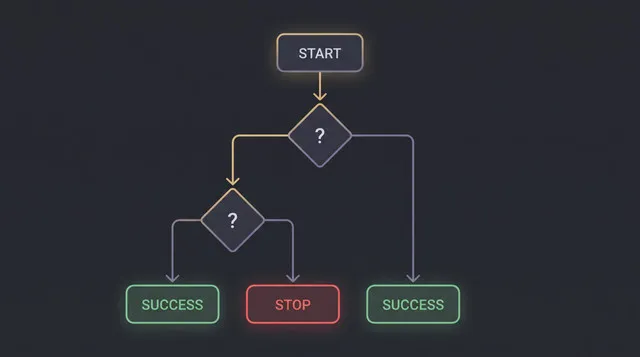
Amazon began shipping Fire TV Stick HD models in late 2024 and through 2025 with Vega OS instead of Fire OS. Vega OS is not Android-based. Downloader cannot install APKs on it, ADB sideloading does not work, and there is no Unknown Sources toggle because the option does not exist.
How to check: go to Settings, then My Fire TV, then About. If you see "Fire OS 7" or "Fire OS 8" in the software version, you can sideload. If you see "Vega OS" or no Fire OS version number at all, you cannot.
| Device / OS | Can it sideload? | What to do |
|---|---|---|
| Firestick with Fire OS 7 or 8 | Yes | Use Downloader with Unknown Sources enabled for Downloader only |
| Fire TV Stick HD (2024-2026) with Vega OS | No | Use a player on the Amazon Appstore, or use a different device |
| Android TV or Google TV box | Yes | Use Downloader via home-screen search; enable Install Unknown Apps for Downloader |
| Fire OS device showing "App Installation Blocked" | Sometimes | Try a different player APK, try an older version from a verified source, or check our Vega OS guide |
If your Fire OS device shows "App Installation Blocked" during an install, the most common cause is Unknown Sources being disabled for the wrong app. Re-check the per-app Unknown Sources setting in Developer Options first before anything else.
Common mistakes to avoid
Installing a Play Store clone. Several apps use the XCIPTV name and icon on the Play Store right now. They are not the official app. Use the developer's own APK.
Thinking a VPN fixes the removal. A VPN does not restore XCIPTV to the Play Store and does not affect whether you can sideload. If you use one, it is for network-level privacy. See using a VPN with IPTV for a longer look at when VPNs are and are not worth using.
Sideloading on a Vega OS device. The steps simply do not apply. Check your OS version first and save yourself the frustration.
Leaving Unknown Sources permanently enabled. Enable it for Downloader, install what you need, then disable it. Leaving it on permanently means other apps could install things without a prompt.
Expecting the situation to stay fixed. App availability in this category changes. Having the APK saved locally on a USB drive or in cloud storage means you can reinstall without hunting for a new source every time.
Frequently Asked Questions
Why was XCIPTV removed from Google Play?
XCIPTV was removed after rights-holder DMCA complaints and Google Play policy enforcement in 2026. A broad takedown wave targeting IPTV-capable apps coincided with major sporting broadcast events, removing XCIPTV, IPTV Smarters Pro, Televizo, and others around the same period. The app was not removed for anything it did on its own.
Is XCIPTV safe to use after being removed?
The player itself is neutral software. Whether using it is lawful depends entirely on the service you connect it to, not the app. Sideloading the APK from the official developer source is a normal Android operation. The risk from sideloading comes from using an unverified APK source, not from sideloading as a concept.
Which XCIPTV app on the Play Store is the real one?
None of the current Play Store listings for XCIPTV are the official current app. The real app is distributed as a sideloaded APK from the developer's own website. If a Play Store app uses the XCIPTV name and icon, verify its permissions, version number, and developer page carefully before trusting it.
What is the best XCIPTV alternative that won't get removed?
No player in this category is immune. TiviMate is the most commonly recommended option for Firestick and Android TV users because it is distributed as a sideloaded APK and does not depend on Play Store availability. For users who need an app store listing, check GSE Smart IPTV or IPTV Smarters Pro, though their availability changes.
Can I sideload XCIPTV on a new Fire TV Stick?
It depends on the model. Fire TV Stick HD and some 2025 and 2026 models run Vega OS, which does not support APK sideloading at all. Check Settings, then My Fire TV, then About. If the version shows Vega OS or no Fire OS number, sideloading is not possible on that device. Fire OS 7 and 8 devices can sideload normally.
Do I need a VPN to use XCIPTV?
No. A VPN is not required to sideload the APK or to use XCIPTV once installed. Whether you use a VPN is a separate decision about network-level privacy. It is not a fix for the Play Store removal.
Is sideloading legal?
Sideloading is a built-in feature of Android and Fire OS. Installing apps outside an app store is not illegal in the UK, the UAE, or most other jurisdictions. The legality question around IPTV is about the content service and its broadcast rights, not the installation method.
Will XCIPTV come back to the Play Store?
Possibly, but there is no confirmed timeline. Some apps removed in similar waves have returned, sometimes under different names or with policy adjustments. For a reliable solution today, sideloading the official APK or switching to TiviMate is more dependable than waiting.
Final Takeaway
XCIPTV being gone from the Play Store is a distribution problem, not the end of the app or your streaming setup. Two paths are open: sideload the real APK from the developer's own source if your device supports it, or move to TiviMate or GSE Smart IPTV for a setup that does not depend on Play Store availability.
The thing that determines whether your streams hold up is the service behind the player, not the player itself. A working player pointed at an unreliable service still buffers. Once you have a player running, try Varodatic on your real device at your usual viewing time before committing to any plan. see Varodatic plans to see what is included.
Related Articles

Do You Need a VPN for IPTV? Honest 2026 Guide
Not sure if you need a VPN for IPTV? We break down exactly when a VPN helps, when it doesn't, and which ones actually work — no hype, just honest advice.
Read Article
Best IPTV Players for 4K Streaming in 2026 (Ranked & Tested)
We tested every major IPTV player with Varodatic 4K streams. Here are the top 7 apps ranked by performance, EPG quality, and compatibility.
Read Article
Fire TV Vega OS Explained: Will IPTV Apps Still Work on New Firesticks in 2026?
Amazon's Vega OS is shipping on all new Firestick hardware. Here is what actually changed for IPTV users, which apps are confirmed compatible, and how sideloading works on the updated system.
Read Article
IPTV App Blocked on Firestick? What It Means and the Safe Fixes
Your Firestick updated and now your IPTV app is blocked or gone. Three different block types have three different causes — this guide identifies which one hit you and gives you the clean fix.
Read Article